EstVis Features

Everything collision repair software has to do, in one system

Grouped by what each one actually returns to the shop: dollars you already earned, hours the job costs you, and the record that backs the bill.

01 / Money you already earned

Two places where the dollars are yours before EstVis touches anything – and leave anyway unless somebody checks every line.

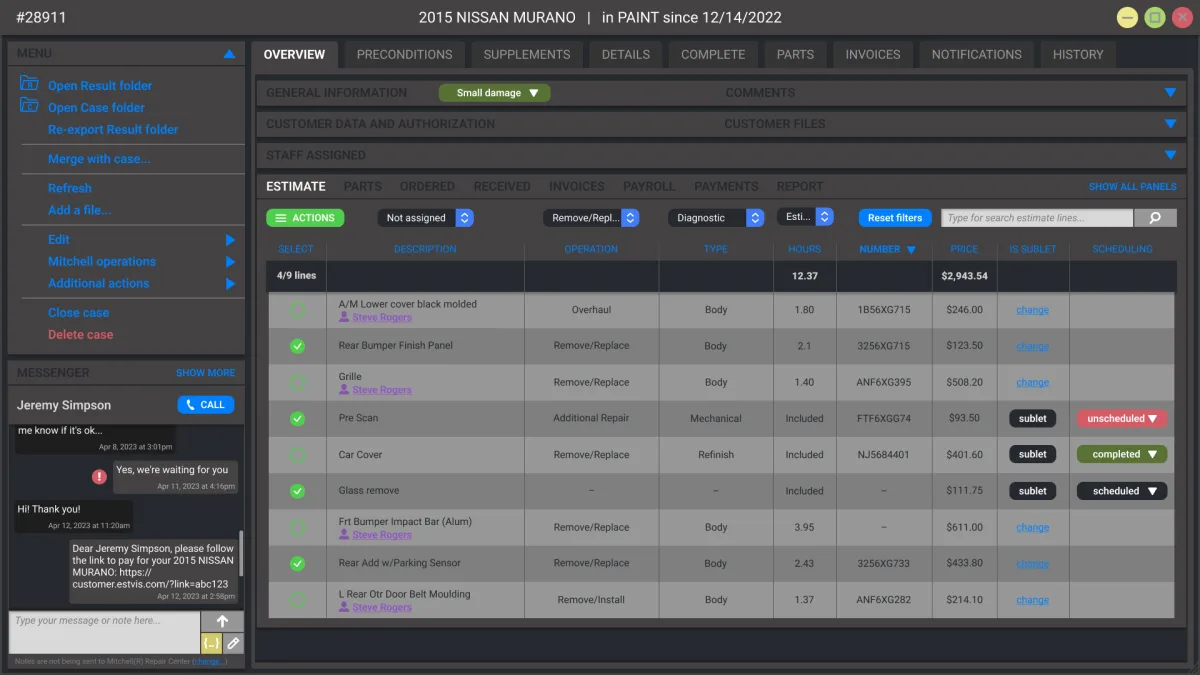
EstVis case details with the estimate expanded, mechanical labor lines flagged
Base + DocumentationPayback

Mechanical Labor Recovery

CCC® ONE leaves mechanical lines on the default Body rate. Every hour on those lines ships to the insurer at body labor cost, and Mechanical runs 30 to 60 dollars an hour higher in most shops. EstVis audits every line and flags the gap while there is still time to supplement.

  • Deterministic rule
  • Runs server-side
  • Every estimate
Full breakdown
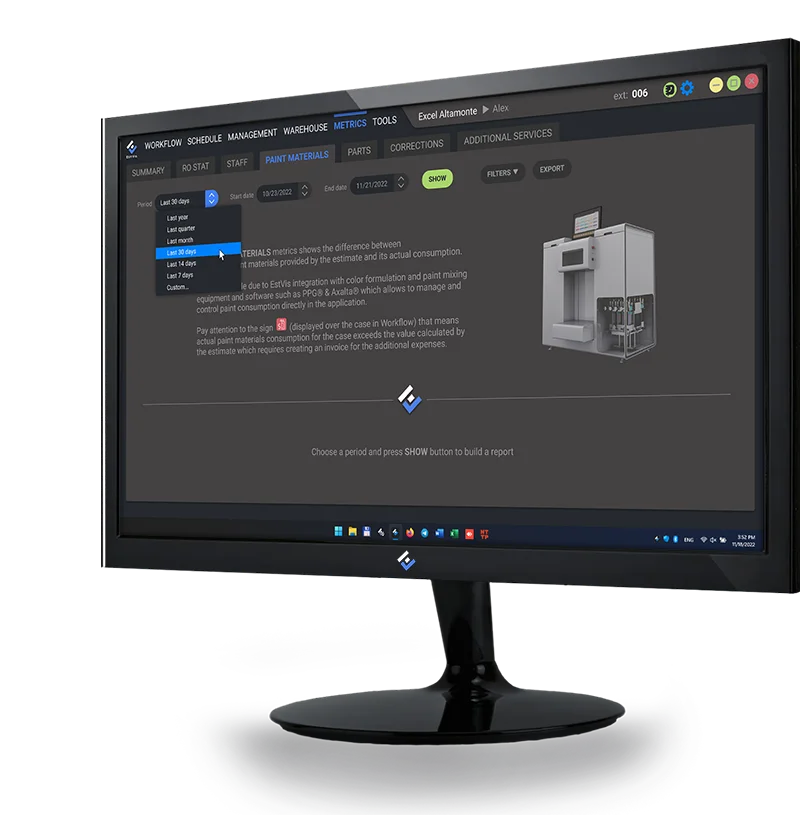
The EstVis Paint Materials metrics screen on a shop monitor, set to report the last 30 days
Base + Management

Paint Supplements

PPG®, Axalta® and BASF® mixing systems report exactly how much paint a job used. When that number beats the estimate, EstVis flags the case red in Workflow and generates the supplement itself, invoice attached – without it, the shop eats the difference every time.

  • Matched to the mix invoice
  • Flags red in Workflow
  • Every connected paint job
Full breakdown

02 / Hours the job costs you

The phone calls, the status hunting and the walk-to-the-desk questions that never appear on an invoice.

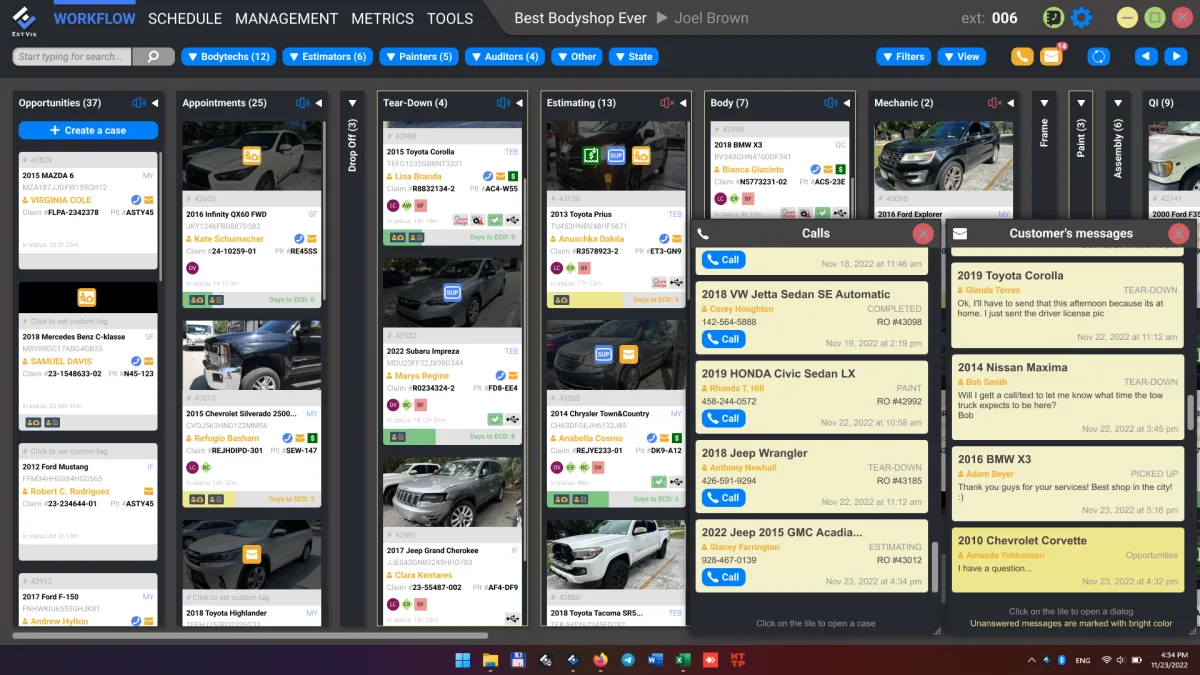
EstVis case detail with the customer messaging thread and the bucket-triggered notification history
Base + Customer Service

Customer Pipeline

Every bucket move can trigger a text or email – damage-photo request, status update, pickup notice, follow-up – so the phone stops being the only way a customer finds out what's happening to their car.

  • Bucket-triggered
  • SMS and email
  • Every status change
Full breakdown
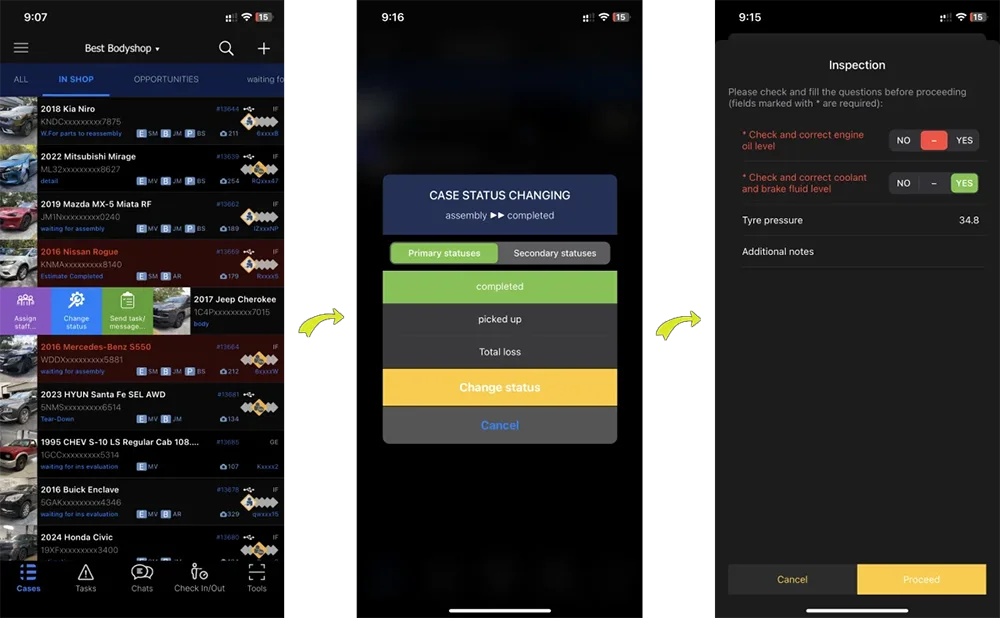
Three EstVis Mobile Client screens: the in-shop case list, a case moving from assembly to completed, and the inspection check sheet that gates the move
Base

Case Management

Assignments auto-import from CCC ONE, Mitchell® and Audatex® into the buckets your shop defines, with staff assigned down to a single estimate line – so status lives on the board instead of in someone's head. Add-ons let a bucket move fire a check sheet or a customer message on top of that.

  • Auto-imported assignments
  • Buckets you define
  • Assignment per estimate line
Full breakdown

03 / The record that backs the bill

What you can prove when the adjuster pushes back, filed as the work happens instead of reconstructed afterward.

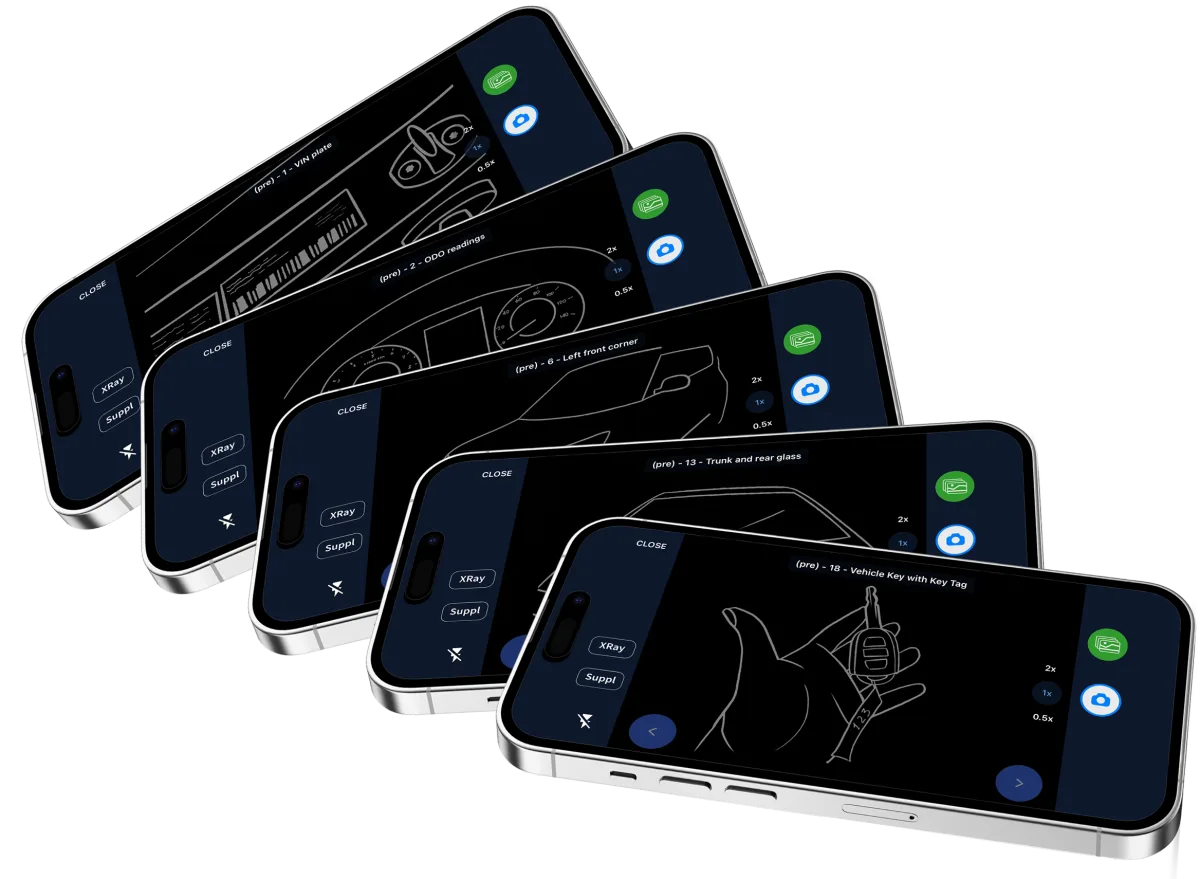
EstVis Mobile Client walking through a guided photo capture, one shot from the template at a time
Base + Documentation

Photo Documentation

Templates guide the shot list, and every photo files itself to the case with the description an insurer expects. Add the Customer Service package and the customer can capture it themselves, from a texted link, before the car reaches the shop.

  • Guided by template
  • Files itself to the case
  • By estimate line
Full breakdown

(A nice image of the parts board, with each part color-coded from not-ordered through received, will be here soon.)

Base + Management

Parts and Invoices

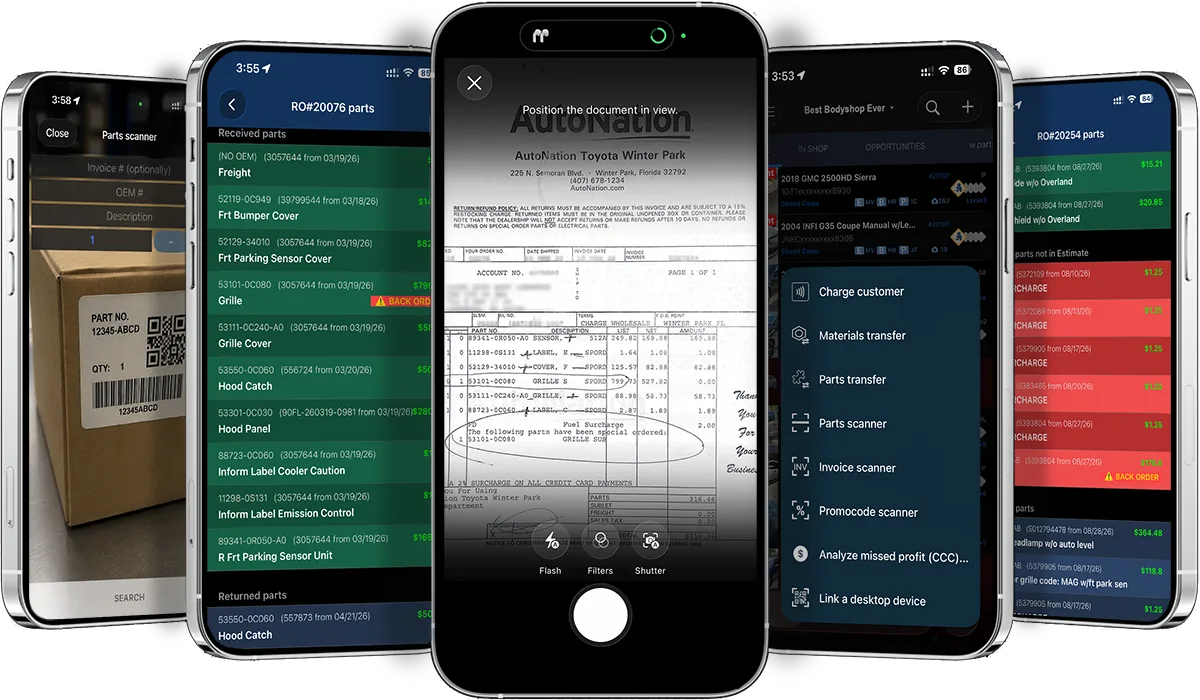
Scan an invoice on the Mobile Client and EstVis posts it. The parts board tracks every part from not-ordered through received, EstVis warns the moment a vendor invoice beats the estimating system's price, and flags a cheaper aftermarket part before anyone has to go looking.

  • Invoice scan, posted
  • Price gap flagged
  • Cheaper part flagged
Full breakdown

Everything else and the package it comes in

The rest of what EstVis does – the jobs that don’t need a page of their own. No invented tier names, no hidden add-ons.

EstVis capabilities without a dedicated page, and the package each one ships in
CapabilityWhat it doesWorkflowMobilePackage
PayrollsAuto-calculated as cases move between buckets, converting logged labor hours to payable amounts under your shop's rules.YesNoManagement
Quality control check sheetsCustom Yes/No, number and photo fields that fire when a case leaves or arrives at a bucket, logged to a full audit trail. Staff answer them from Workflow or from the Mobile Client at the status change.YesYesDocumentation
SchedulingDrop-off and pick-up calendar with severity color coding, plus optional customer self-scheduling from the Work Authorization link.YesNoBase
Sublet labor schedulingFlip an estimate line to sublet labor and schedule the outside vendor's work, without leaving Workflow.YesNoManagement
Metrics and reportsPaint materials, corrections, additional services and KPI reporting.YesNoManagement
Internal messengerShop-floor chat, tagged to the case it's about, on the desk and in your hand.YesYesBase
In-shop tasksTask assignment inside the case, tracked through to completion, from Workflow or the Mobile Client.YesYesManagement
VoIP and caller IDAsterisk caller ID, callback, call recording and a dormant-customer report.YesNoVoIP integration
QuickBooks® syncBi-directional invoice and payment sync, plus PayPal®-to-QuickBooks reconciliation.YesNoQuickBooks integration
Work AuthorizationPre-filled and signed remotely, so drop-off is handing over the keys.YesYesCustomer Service
Additional servicesUpsell offers sent automatically when a case reaches a configured stage.YesNoCustomer Service
Reviews and CSIReview requests to Google and Yelp after pick-up, with a satisfaction index calculated on a scale up to 10.0. Invitations can be switched off per case from the Mobile Client.YesYesCustomer Service
Deductible and betterment remindersPayment prompts, with a PayPal link where the shop collects online.YesNoManagement
Diagnostic scanner reportsLaunch Scanner output filed to the case. Android only.YesYesDocumentation
VIN and licence barcode scanningScan from the Mobile Client instead of typing a VIN, and read customer details off a driver's licence.NoYesBase

Three pieces, and your data stays on yours

Cases, photos, invoices and payrolls live on a Desktop Server in your shop, not on a third-party cloud. Shop operations keep running through an internet outage – only customer-facing messaging and insurance imports wait for connectivity.

Runs on

  • Desktop Server

    Runs on your own hardware, on-premise. Keeps working through an internet outage.

  • Workflow

    The Windows application your team works in all day. Unlimited installs.

  • Mobile Client

    iOS and Android, for the work that happens away from a desk.