 Integrations4 min read
QuickBooks Not Enough – Why Your Bodyshop Needs EstVis for Profit & Efficiency
In the fast-paced world of collision repair, every minute counts, and every dollar matters.

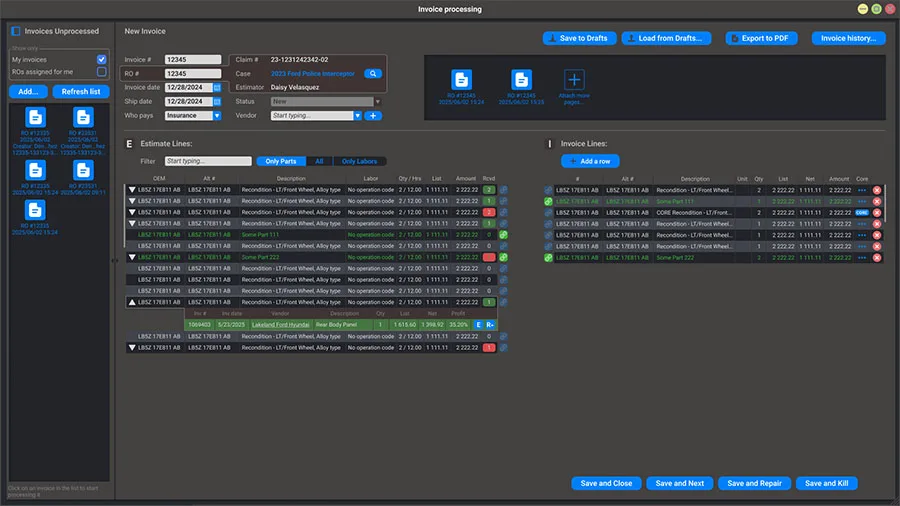
A vendor's invoice price and the estimating system's list price are two different numbers, and the estimating system never learns the difference on its own. EstVis holds the two side by side per part, tracks custody by QR code from the parts counter to the bodytech who takes it, and pushes a Parts Price Difference back to the estimate only after someone on your team has reviewed it.
An invoice from the parts vendor still gets keyed in by hand at a desk, twice removed from the counter where it was handed over.
The estimating system's list price and the vendor's actual invoice price rarely match exactly, and the gap – sometimes hundreds of dollars – ships with the file unless somebody checks.
Nobody has time to shop every part against the aftermarket before ordering, so the cheaper alternative goes unbought more often than it should.
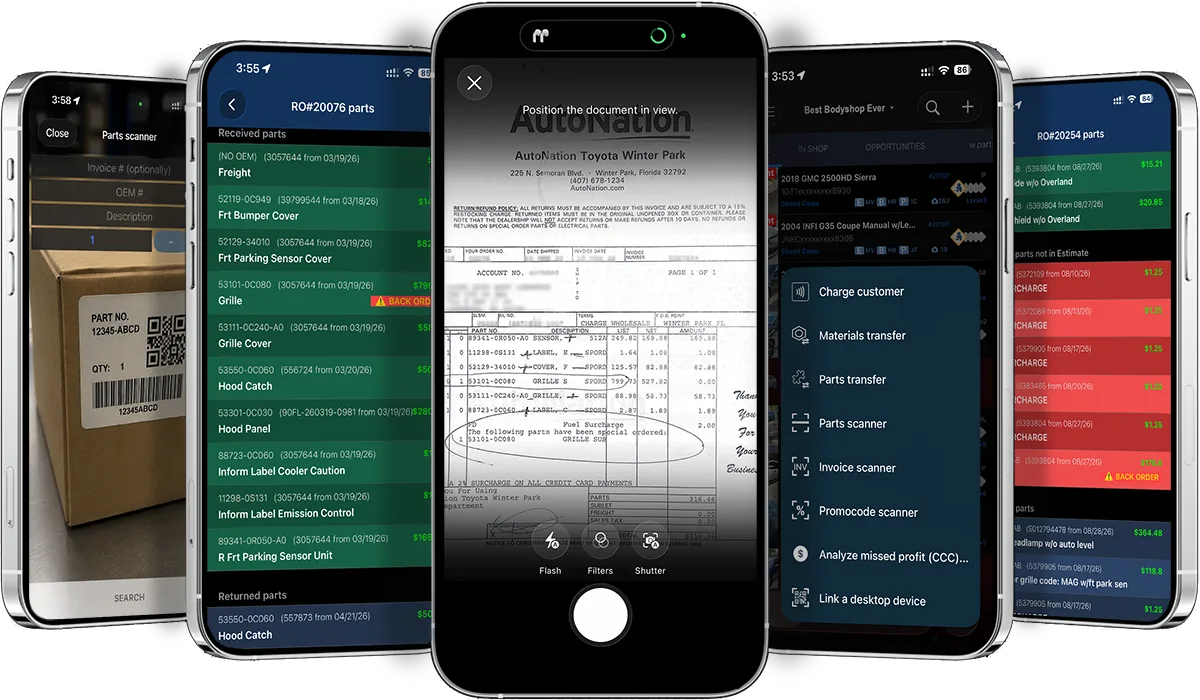
Scan an invoice on the Mobile Client and it saves straight to the case folder. Workflow recognizes the imported invoice and helps post it, so most of it never needs manual entry.
The parts board runs grey for not-ordered, light green for ordered or expected, and green for received – so anyone can see where a part stands without calling the parts department.
When a vendor's invoice price beats the estimating system's list price, EstVis monitors the gap and warns your team to adjust it, and can push the Parts Price Difference to the estimating system once someone has reviewed it. On every new estimate, EstVis also checks the aftermarket for a cheaper part and flags it on the case.
Runs on
Runs on your own hardware, on-premise. Keeps working through an internet outage.
The Windows application your team works in all day. Unlimited installs.
iOS and Android, for the work that happens away from a desk.
Pro – $316/mo billed annually
$379/mo on monthly billing · 20 users included
Parts and invoice handling runs in Pro: the color-coded parts board, invoice posting and recognition, the price difference between the estimate list value and the vendor's invoice, and the aftermarket search. QuickBooks sync sits in the same plan, so a scanned invoice is not keyed a second time into your books.
See the full pricing breakdownIntegrations4 min readIn the fast-paced world of collision repair, every minute counts, and every dollar matters.
 Integrations3 min read
In the fast-paced world of collision repair, efficiency is paramount.
Paint Supplements
PPG®, Axalta® and BASF® mixing systems report exactly how much paint a job used. When that number beats the estimate, EstVis flags the case red in Workflow and generates the supplement itself, invoice attached – without it, the shop eats the difference every time.
Case Management
Assignments auto-import from CCC ONE, Mitchell® and Audatex® into the buckets your shop defines, with staff assigned down to a single estimate line – so status lives on the board instead of in someone's head. Add-ons let a bucket move fire a check sheet or a customer message on top of that.