 Workflow4 min read
Documentation – Boost Bodyshop Efficiency with Smarter Photo Workflows
Crisp, detailed photo documentation forms an indispensable requirement in modern collision repair operations.

Every photo sorts itself into the section of the case it belongs to – preliminary, by estimate line, supplement, complete, invoices – and submission to the insurer handles file size, format and descriptions in the layout that insurer expects. Pro moves the whole shot list ahead of drop-off: the customer shoots it from a texted link, and your estimator pre-orders parts before the car is on the lot.
A damage photo used to mean a memory card, a cable to the office computer, and renaming forty files by hand before any of them reached the case.
Insurers want a specific description on every photo, and nobody writes that many by hand without skipping a few.
Waiting for the car to reach the shop before anyone takes a photo means the estimator can't pre-order parts until the vehicle is already on the lot.
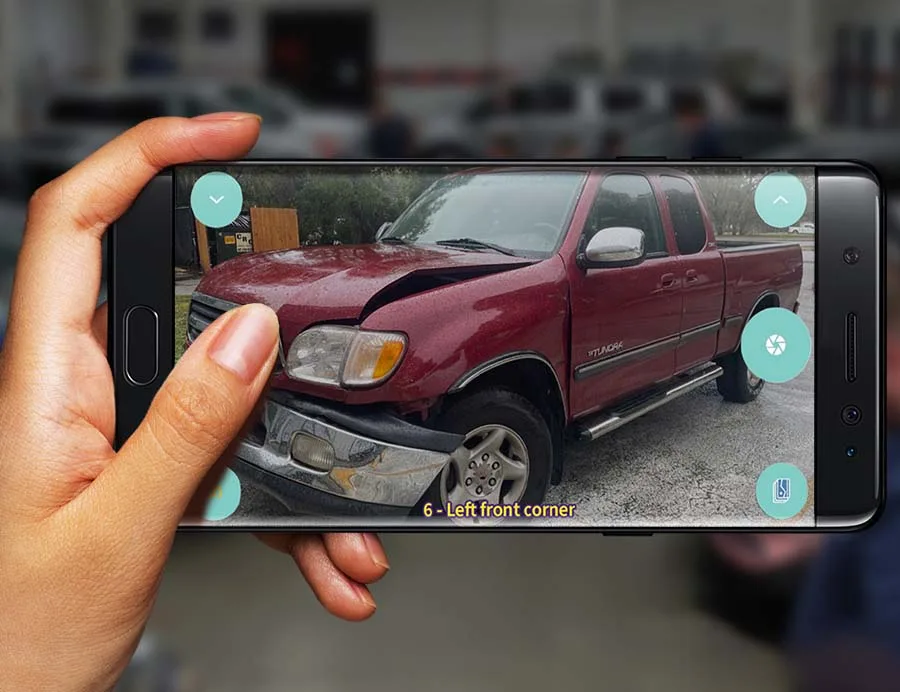
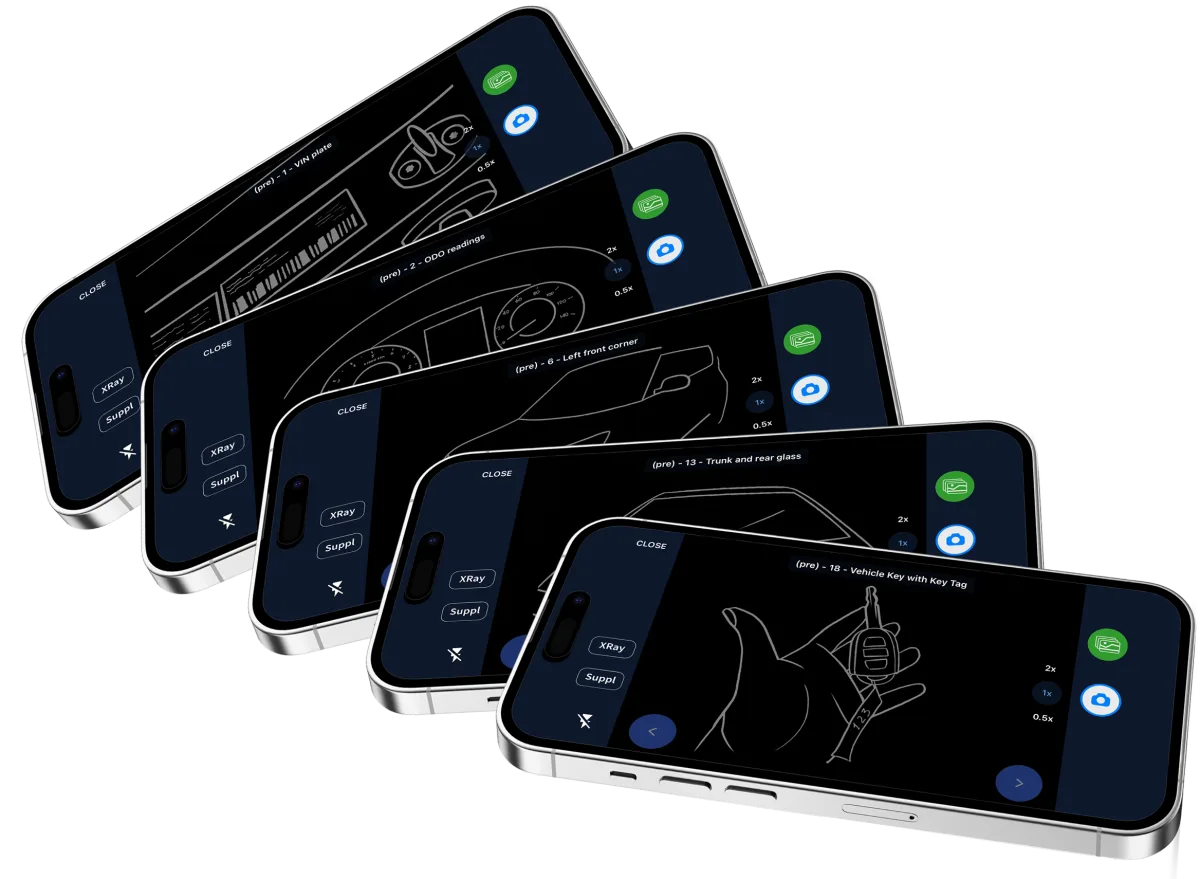
Pick the insurer's photo template, or the shop default, and the Mobile Client shows the exact shot list – which angle, which panel, in what order. This guided capture from a template is in Base.
A bodytech shoots the list at intake, as part of Base's guided capture. Text the customer a link with a short video instead and they shoot it themselves before the car reaches the shop – that self-capture, bundled with the damage-pics request, is in Customer Service, and it lets the estimator pre-order parts from photos alone.
Descriptions attach automatically as photos come in, sorted into preliminary, estimate-line, supplement and complete sections. Capture tied to individual estimate lines, plus invoice, complete and supplement photos, voice memos and one-touch upload to MRCC, is in Documentation.
Runs on
Runs on your own hardware, on-premise. Keeps working through an internet outage.
The Windows application your team works in all day. Unlimited installs.
iOS and Android, for the work that happens away from a desk.
Core – $166/mo billed annually
$199/mo on monthly billing · 8 users included
Guided capture ships in Core – by insurance template, by estimate line, plus supplement, damage and complete photos, and one-click submission in the insurer's own format. Pro adds voice memos with speech-to-text, and the request that asks the customer to shoot the damage themselves before the car arrives.
See the full pricing breakdownWorkflow4 min readCrisp, detailed photo documentation forms an indispensable requirement in modern collision repair operations.
 Product3 min read
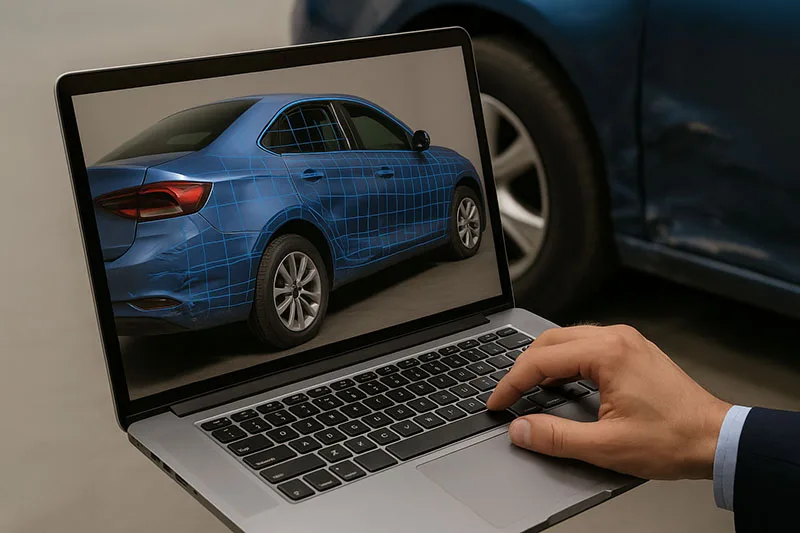
EstVis adds 3D scan integration: rotate lifelike damage models on mobile, stored automatically in the case, so insurers and customers see what you see.
 Workflow2 min read
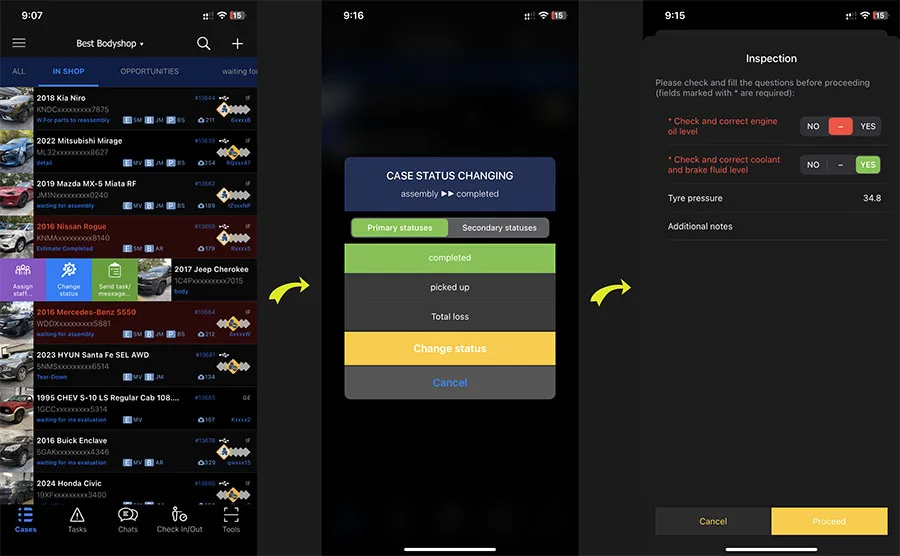
Set up EstVis Checklists so staff complete the right checks at every status change, with audit trails and PDF records managers can review.
Parts and Invoices
Scan an invoice on the Mobile Client and EstVis posts it. The parts board tracks every part from not-ordered through received, EstVis warns the moment a vendor invoice beats the estimating system's price, and flags a cheaper aftermarket part before anyone has to go looking.
Mechanical Labor Recovery
CCC® ONE leaves mechanical lines on the default Body rate. Every hour on those lines ships to the insurer at body labor cost, and Mechanical runs 30 to 60 dollars an hour higher in most shops. EstVis audits every line and flags the gap while there is still time to supplement.