
Enterprise Optimization Based on One Local Server and Many Thin Clients
One Windows machine in the shop holds every case, photo and invoice. Everything at the workplaces is a screen and a small box that draws its work from it.
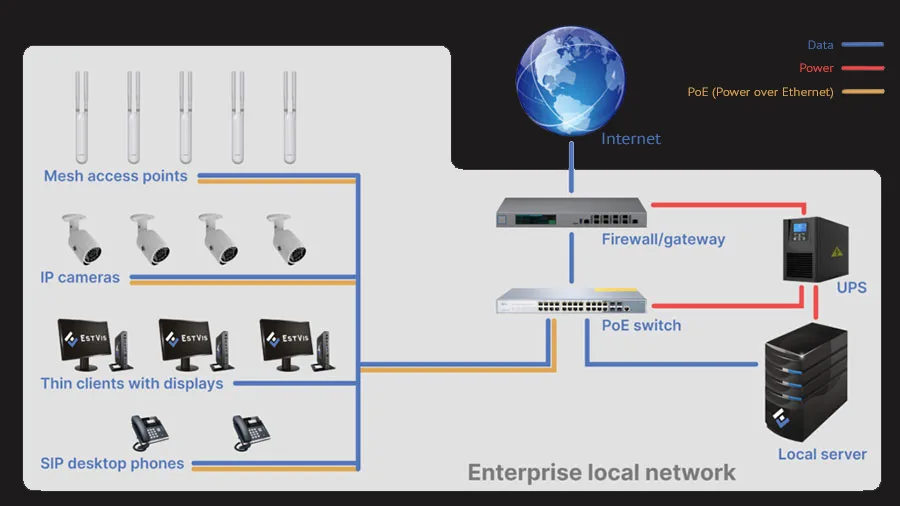
One Windows machine holds every case, photo, invoice and payroll in the shop. Everything else on the floor is a screen, a keyboard and a box the size of a paperback that draws its work from that machine. That is what an EstVis deployment looks like once it is cabled: here is what the parts are, roughly what they cost, and who has to configure which piece.
The one machine that holds everything
Desktop Server is the Windows application that acts as your local server. Cases, customer and vehicle records, photo documentation, work authorizations, invoices, parts and payroll data all live on it. One per bodyshop, and only one, because it holds the authoritative copy: every Workflow instance and every phone in the building is a view onto that machine, not a second copy of it.
The hardware floor is low. Two cores, 4 GB of RAM and 2 GB of free disk is the minimum, four cores, 8 GB and 10 GB is the recommendation. What it really needs is to be left alone: a dedicated PC that stays on, autorun enabled so it comes back by itself after a Windows reboot, and a UPS so a flicker in the yard does not drop the board mid-repair.
Your data sits on that machine, on-premise, on hardware you own, rather than on a third-party server. EstVis also runs as Web Workflow, where the data is stored in the cloud instead – everything in this article describes the other deployment, the one where the shop keeps the disk.
That is also why the shop keeps working when the internet does not. Buckets move, photos land, invoices get entered. Only the parts that need the outside world pause: customer notifications and imports from the estimating systems. They resume when you are back online.
Two things nobody sells you with the hardware: a backup schedule and a restore you have actually performed. Run daily automated backups of the server database and the case folders, keep a copy off-site, and restore one onto a spare machine now and then. A backup that has never been restored is not a backup.
What sits at each workplace
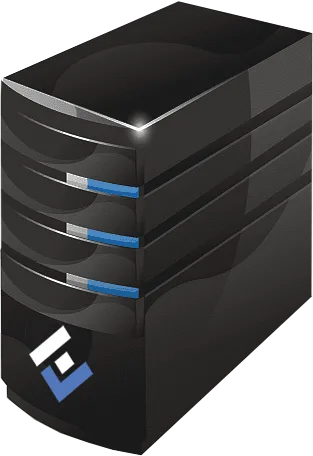
A thin client is a small, fanless PC with no meaningful storage of its own. It runs Workflow, talks to the Desktop Server, and that is the entire job description. The table below puts one at $35 to $45 used, and the same class of box, an HP t620, is what the phone system further down this page runs on.
Workflow is the Windows app your people spend the day inside: the bucket board, case details, the estimate, photo documentation, parts, invoices, payrolls, metrics. It needs Windows 8 or later with .NET Framework 4.8 or later, and the installer prompts for the framework if the box does not already have it. Run as many instances as you have desks – the Desktop Server serves them all. Each instance is launched with its own credentials, and the roles on that account decide which interfaces open.
Because the client stores nothing, replacing one is a decision you make in a minute rather than a project: plug in the network cable, install Workflow, log in, same board. A box that dies overnight, or walks out the door, takes no case data with it.
Cameras on the same cable
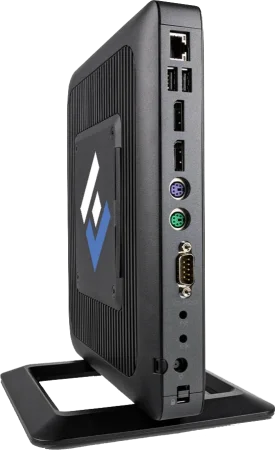
IP cameras are on the list for a boring reason: they run on the same switch and the same category cable as everything else, and a PoE port carries their power as well, so there is no outlet to find above a bay door. Cameras can also be linked to a workplace in EstVis, so a manager can see each workplace live from Workflow. It is optional.
The phone on the desk
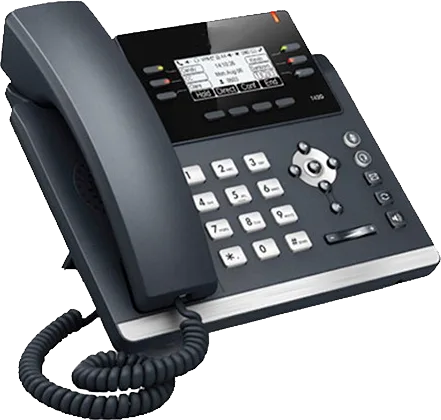
EstVis integrates with Asterisk over VoIP, and that changes what a ringing phone means at the front counter. An incoming call pops the customer, their vehicle and the current repair status on screen before anyone says hello. Calls go out with one click, to a customer or to another extension in the shop. Every call is recorded into that case's folder. Customers who have stopped answering on every channel you have tried show up in a dormant-customer report. On the EstVis side the setup is a single field: the extension number in settings.
The stack underneath is deliberately cheap. Localphone at roughly $10 a month for five lines, FreePBX (free) running on one of those used thin clients, refurbished Cisco 7960 handsets around $50 each, and a used Cisco 3750x 48-port PoE switch near $120 to power and feed them. Put a phone in paint, in body, in detail and at the front counter. EstVis technical specialists will install and configure the whole communication stack for you.
The rest of the network
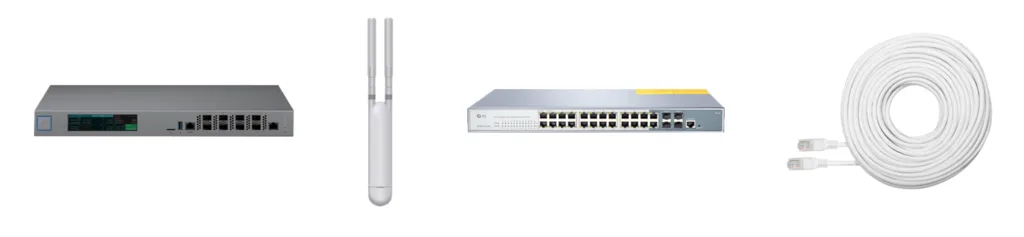
A gateway or firewall is where the shop network meets the internet, and it is the thing standing between your Desktop Server and everyone outside who scans for open ports. If you want Workflow to reach the server from outside the building, treat that as a deliberate configuration rather than a default: the server binds to specific addresses and ports, those have to be opened and forwarded, and a VPN is the right way to let a remote Workflow client in. Have your network administrator do it and write down what changed. Wrong address or port values are a common reason a client suddenly cannot connect.
Mesh access points cover the parts of the building the cable never reaches. That matters because the mobile clients are not a novelty here: bodytechs and painters shoot the photo documentation on iOS and Android, scan VINs and driver's licenses, and scan parts and invoices from wherever the car happens to be. A dead spot in the booth or at the back of the shop turns a photo template into a walk to the office.
A PoE smart switch is what keeps the cabling simple. One run of Cat 5e to each phone, access point and camera carries power and data together, so none of those devices needs its own outlet. Two switches cover most shops.
What it costs
The total depends on the size of the building, how many workplaces you are lighting up, and what you already own. The table below* is a shape, not a quote – these are August 2026 street prices for third-party hardware, and they move.
The totals at the bottom give every workplace a thin client and a display, and then add one SIP phone and one IP camera for every five workplaces – roughly the paint, body, detail and front-counter split described above. Phones and cameras are the two lines that scale with how your building is laid out rather than with your headcount, so if you want one at every desk, price those two rows per workplace instead.
| # | Component | Typical quantity | Average unit or pack price |
|---|---|---|---|
| Local server | |||
| 1 | Local server computer | 1 unit | $500 ... $1,000 |
| 2 | UPS with cables | 1 unit | $190 ... $310 |
| 3 | Batteries for UPS, pack of 4 | 1 pack | $150 ... $225 |
| Network hardware and equipment | |||
| 4 | Gateway/firewall | 1 unit | $80 ... $270 |
| 5 | Mesh access points, pack of 5 | 1 pack | $250 ... $675 |
| 6 | PoE smart switch | 2 units | $85 ... $180 |
| 7 | Cat 5e network (Ethernet) cable | 1000 ft | $80 ... $105 |
| Workplaces | |||
| 8 | Thin client (used desktop computer) | for each workplace | $35 ... $45 |
| 9 | Display (27" to 32", 2K resolution) | for each workplace | $130 ... $200 |
| 10 | SIP desktop phone (refurbished) | for the workplaces that need one | $40 ... $50 |
| 11 | IP camera | for the areas that need one | $70 ... $90 |
| Total estimated | |||
| Local server, power supply, network equipment | $1,400 ... $2,900 | ||
| + equipment for 10 workplaces | $1,900 ... $2,700 | ||
| + equipment for 20 workplaces | $3,700 ... $5,500 | ||
| + equipment for 30 workplaces | $5,600 ... $8,200 |
Who installs what
The EstVis half is short, and it is free. Technical specialists do a visually assisted remote installation and configuration of Desktop Server, Workflow, the mobile apps and the integrations. Budget about 15 minutes in total: roughly five to install and configure, ten to add your employees. Each employee installs the mobile app from the App Store or Google Play with nothing to set up. Shops already running EstVis put staff at two to three days before people are comfortable.
The other half – gateway, switches, access points, cabling, cameras, phones – depends on your building, and it is worth a conversation before you buy any of it. Call (407) 652-3301 or email support@estvis.com and ask what a shop your size actually needs.
Then the software has to earn it back
The architecture caps what you spend on hardware. It does not, on its own, put anything back on the bottom line. That comes from what runs on top of it: estimates imported from CCC ONE®, Mitchell® and Audatex® and audited line by line, paint materials supplemented with the mixing-system invoice when actual consumption exceeds the estimate, work authorizations signed before the car arrives, payroll calculated as cases move between buckets.
Here is what EstVis does with all of that hardware.
* The information provided in this article does not constitute an offer.